

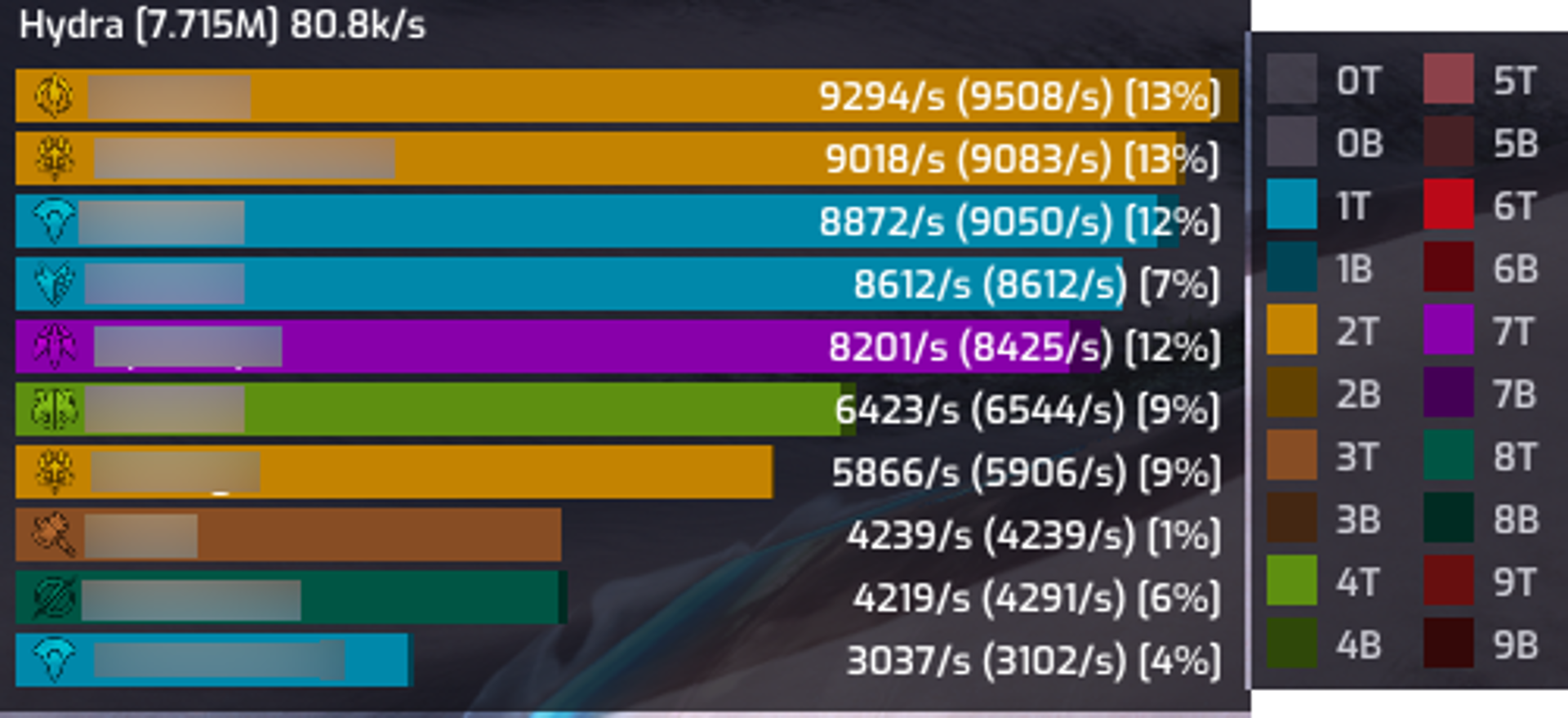
ArcDPS is the standard combat metrics tool for Guild Wars 2. It shows live damage, boons, defensive and support stats for you and your squad, and it can record encounters to .evtc logs that you can upload, share and analyze later. It is used everywhere from open world and fractals to raids, strikes and WvW zergs, and it also serves as the foundation for a large ecosystem of community extensions.
Features
- Live combat stats - damage, DPS, CC, strips, cleanses, revives, downs contribution and more, for yourself, your subgroup or the whole squad.
- Boon and buff tables - incoming and outgoing uptime and generation, split vs. friendly and vs. enemy, so you can see who is actually covering the squad.
- Multiple window types - details, stats, buffs and graphs windows, each with its own range selection, sorting and subgroup-sum modes.
- Flexible layouts - right-click any window for its context menu, copy settings from one window to another, and hide options based on your elite specialization and character.
- EVTC logging - automatically records encounters to log files that tools like Elite Insights turn into detailed reports.
- Extension API - a public API that lets other addons receive combat events in real time and draw their own UI.
- Translations - community translations are available in French, Simplified Chinese and Traditional Chinese.
Usage
- Hotkey modifier: Alt + Shift, followed by the window key.
- Options: Alt + Shift + T.
- Window settings: right-click a window to open its context menu.
- NPC IDs: shown in the details window title or in the target list tooltip after you attack a target, which is useful for setting up per-boss logging.
Combat logs (EVTC)
When logging is enabled, ArcDPS writes each encounter to an .evtc file:
- PvE and WvW: logging starts when the first player enters combat and stops when everyone has left combat. The first enemy damaged decides which boss the log is for.
- Map logging: starts when you join an instanced map and stops when all squad members have left.
- Location:
/Guild Wars 2/addons/arcdps/arcdps.cbtlogs/by default, sorted by encounter and named by date and time.
Upload logs to a parser such as Elite Insights or dps.report to get full breakdowns of rotations, mechanics and boon uptime.
Extensions
Many popular addons are ArcDPS extensions, such as boon tables, healing meters, squad mechanics trackers and log uploaders. Put extension DLLs next to Gw2-64.exe or in the bin64 folder of your install directory. Developers can find the API reference and example code at deltaconnected.com/arcdps/api.
Troubleshooting
- Crashes at character select, "image modified" errors or hotkey conflicts: usually caused by other overlays or software that hooks the game. Try disabling them.
- Crashes in general: repair the game client, remove all extensions and chainloaded DLLs, then check whether the crash still happens.
- Logs:
arcdps.logandarcdps_lastcrash.logare inaddons/arcdps/. Attach the latest complete log when reporting a problem on the Elite Insights Discord.
Known limitations
The game server does not send some data, so percent-based damage, siphons, healing, combo finishers and buff extension sources are not tracked. Condition damage is estimated from gear, traits and buffs, and it may not match the game exactly below level 80.
Disclaimer
Modifying Guild Wars 2 with third-party tools is not supported by ArenaNet or NCSOFT. Do not contact game support about client issues while ArcDPS is installed. Use it at your own risk, and please be courteous to other players when sharing numbers.
Official page: deltaconnected.com/arcdps