

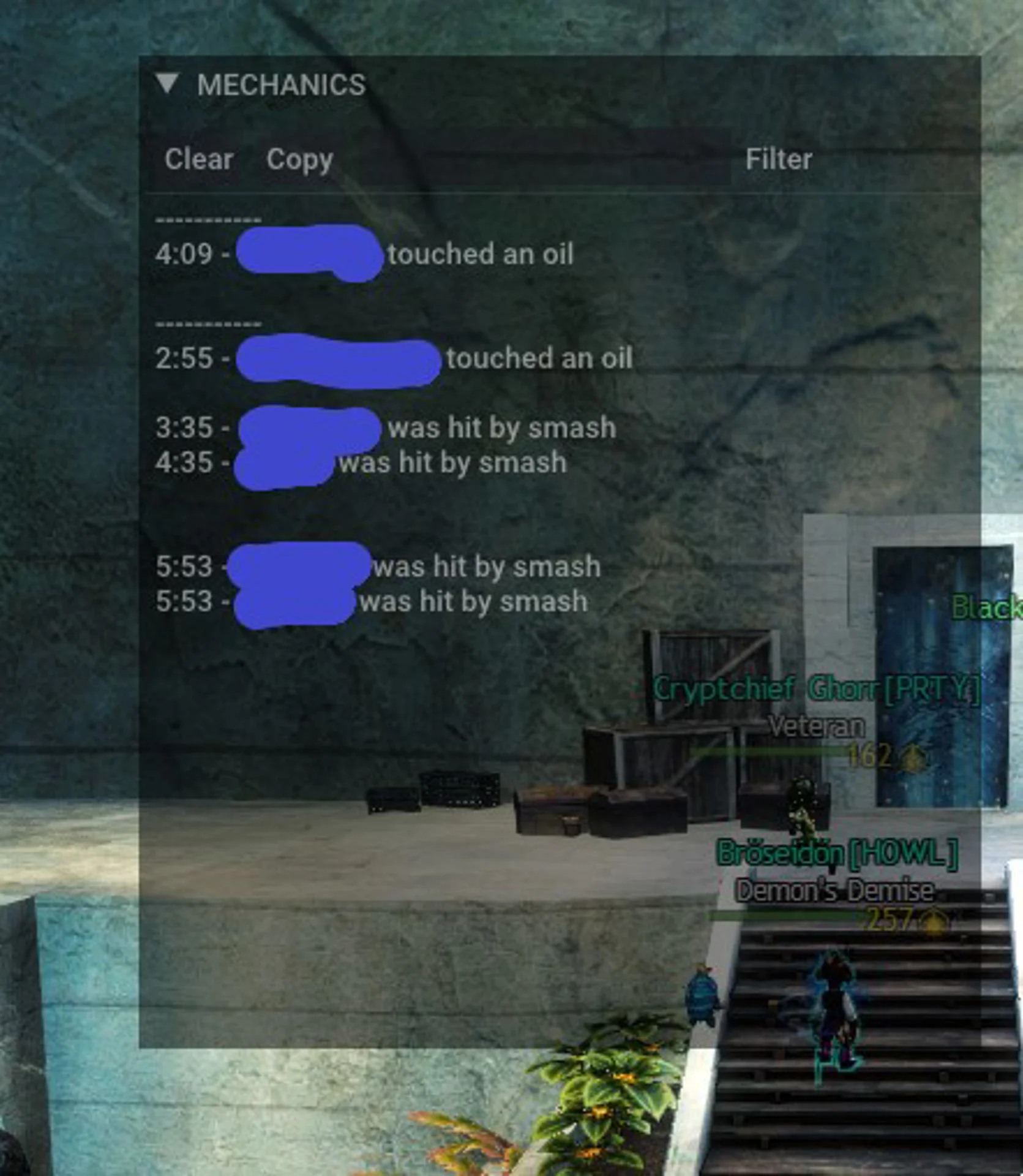
Mechanics Log is an ArcDPS plugin that shows, in real time, which mechanics each player in your squad handled or failed. Use it to see where your group loses time in raids, strikes and fractals, and what to practise next.
Features
- Log: a live, timestamped list such as "Player was hit by Slam".
- Chart: a per-player summary of failed and neutral mechanics, downs and deaths.
- Covers all raid wings, the Fractals of the Mists challenge motes and strike missions, from Vale Guardian to the latest encounters.
- Attacks that were blocked, evaded or avoided with invulnerability are not counted, and interrupts are ignored while you have stability.
How to use
- Press Alt+Shift+L for the log and Alt+Shift+N for the chart, or enable them at the bottom of the ArcDPS options (Alt+Shift+T).
- Clear the chart before starting instanced content, since open world and WvW squads add a lot of downs and deaths.
- Mechanics appear with a short delay of about two seconds.
Reading the chart
- Failed mechanics are hits a player should have avoided, such as a Vale Guardian teleport.
- Neutral mechanics are part of the fight and not a mistake by themselves, such as Dhuum shackles.
Not every hit is the player's fault, so use it to improve as a group rather than to blame.
Installation
Requires ArcDPS. Install it from the ArcDPS section of the Nexus addon library, or download the .dll and place it in the same folder as ArcDPS.
Support
Report bugs on GitHub or in #mechanics-log on the Elite Insights Discord.