
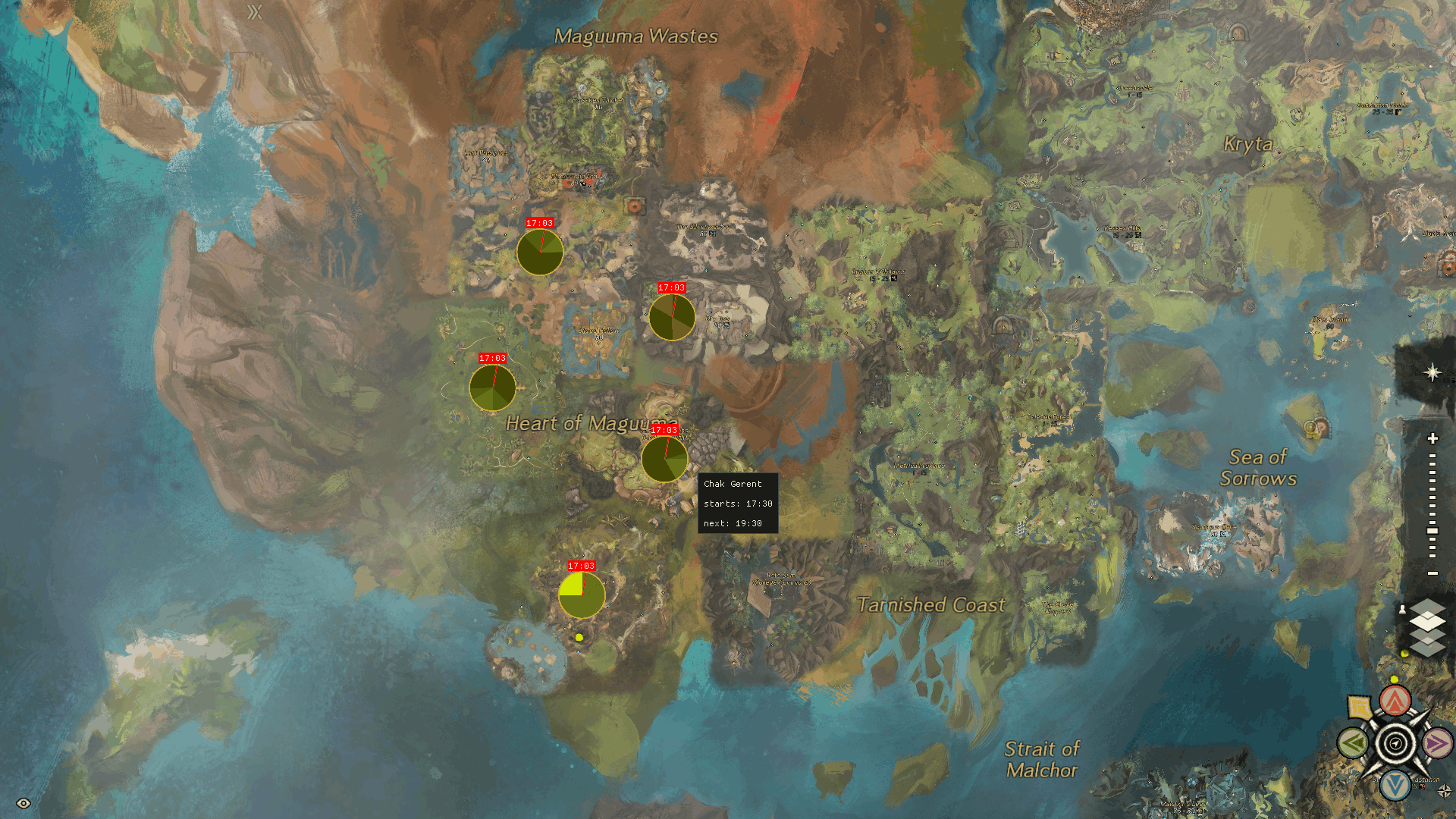
World Bosses shows meta events and world boss timers directly on the Guild Wars 2 map, with a notification box for upcoming core world bosses. No more alt-tabbing to a timer website.
Features
- Meta event and world boss timers drawn on the in-game map for every expansion.
- Notification box listing the next core world bosses.
- Look further ahead with configurable time offsets.
- Event editor to move or hide events: select one from the list or Ctrl+click it on the map.
- Optional Nexus alerts for selected events.
Hotkeys
- Ctrl+Shift+B toggles the events on the map.
- Ctrl+Shift+O toggles the notification box.
Settings
Open the editor under Nexus options > Addons > World Bosses > Editor. Further settings, such as DPI scaling, live in addons/World Bosses/settings.json.
Installation
Install it with one click from the Nexus addon library in-game, or download GW2-Bosses.dll and place it in your Guild Wars 2/addons folder.
Troubleshooting
If something breaks, delete addons/World Bosses/data.json to reset the event data. If the problem stays, open an issue on GitHub and attach addons/Nexus.log.