
This addon includes AI-generated content and/or AI-assisted code. Learn More.
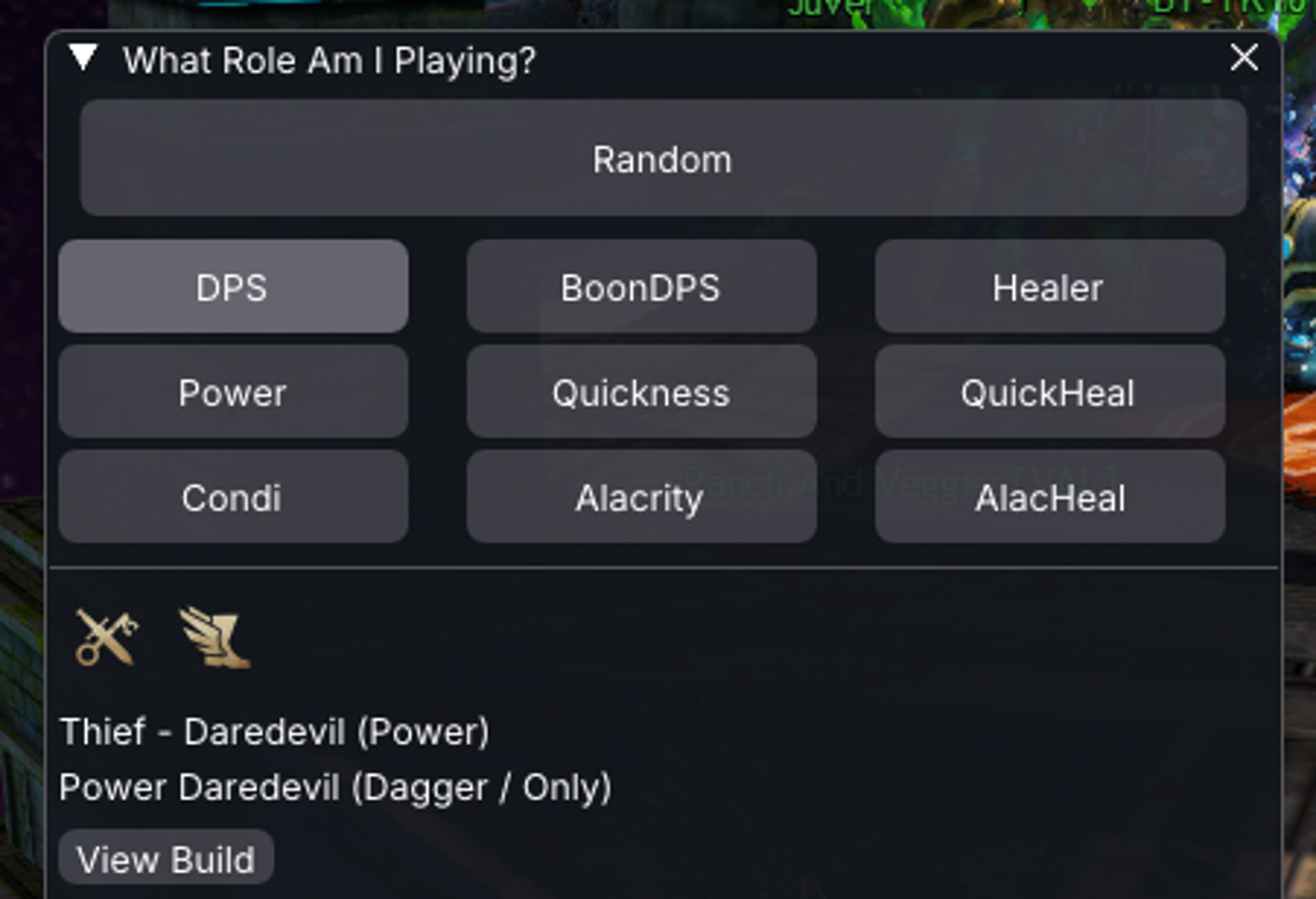
What Role Am I Playing?
Suggest a random raid build to play next based on a role you select. Nexus port of the BlishHUD What Role Am I Playing? module.
| Visibility | Public |
| Updated | 3 months ago |
| Created | 3 months ago |
| ID | 109 |
| Signature | 0x60018006 |
Contributors
What Role Am I Playing?
Pick a role category and get a random raid build suggestion.
AI notice
Parts of this addon and its documentation were developed with AI assistance (for example code generation, refactoring, and documentation drafts). All AI-generated output is reviewed and tested by the maintainer before release.
Please be aware that:
- AI-assisted components may contain errors, inconsistencies, or unexpected behavior.
- Behavior may change as the addon is updated.
- The developer remains responsible for ensuring the addon complies with Guild Wars 2 Terms of Service and third-party program policies.
If you notice incorrect roles, broken links, or other issues, please report them on the issue tracker.
Overview
What Role Am I Playing? is a Nexus port of the BlishHUD What Role Am I Playing? module. Choose DPS, boon DPS, healer, or full random and the addon suggests a build from the shared role library built from current SnowCrows builds.
Requirements: Nexus. No GW2 API key is required.
Features
- Random role suggestions from the shared Snow Crows–derived build library (
roles.json) - Role filters: Full Random, DPS (Power/Condi), Boon DPS (Quickness/Alacrity), Healer variants
- Main window with button grid and result panel (profession, elite spec, and boon icons)
- View Build opens the SnowCrows URL in your browser
- Corner icon with context menu for quick role picks
Installation
- Install Nexus and launch Guild Wars 2 with it enabled.
- Download
WhatAmIPlaying.dlland place it directly in/addons/(not in a subfolder). - Enable What Role Am I Playing? in Nexus addon settings.
- Use the corner icon or click Open What Am I Playing? on the addon page.
Network access
The addon downloads the role build library from bhm.blishhud.com and UI icons from assets.gw2dat.com
Links
Credits: Soeed (BlishHUD module and Nexus port), Freesnöw (static data and gw2dat hosting), Raidcore (Nexus).