

Map LFG for Raidcore Nexus
A Guild Wars 2 addon that opens the native Looking For Group (LFG) window directly to your current map's category and subcategory, monitors LFG listings in the background, and helps create structured squad postings.
Disclaimer
Modifying Guild Wars 2 through any third party software is not supported by ArenaNet or its partners. You are using this addon at your own risk.
This addon is designed to comply with the official ArenaNet Third Party Program Policy. If you believe this addon violates any policy, please open an issue in this repository.
Portions or the entirety of the codebase remain closed-source in compliance with requests by ArenaNet.
Features
- Instant Map Navigation: Press
ALT + L(or click the Quick-Access icon) to open the GW2 LFG panel directly to the category matching your current zone. - Native UI Opening: Fast and direct opening.
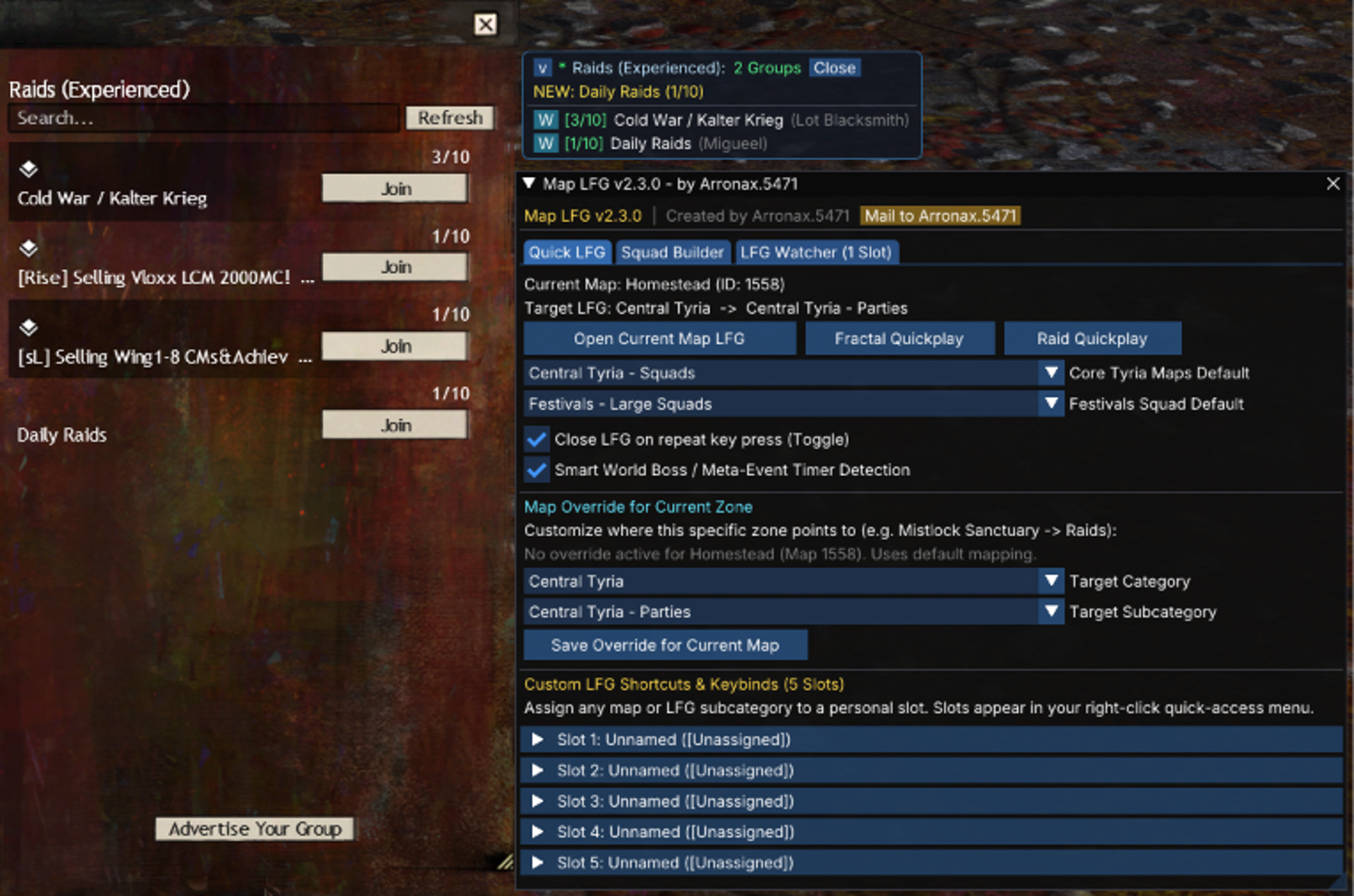
- LFG Watcher: Monitors a single LFG subcategory in the background and notifies you about new groups via sound alert and a compact HUD pin.
- Squad Builder: Visual tool to assemble formatted squad and party LFG texts with roles, requirements, and presets.
- In-Game Map Overrides: Redirect any zone (e.g., Mistlock Sanctuary -> Raids) directly via in-game dropdown menus in the settings.
- Smart World Boss Detection: Automatically switches Central Tyria LFG to World Bosses when a world boss or the Ley-Line Anomaly is active in your current zone.
- Toggle-Close Hotkey: Pressing your hotkey again while the LFG panel is open quickly closes the window.
- Nexus Localization: Full English and German interface, automatically matching your Nexus language settings.
- Custom Shortcut Slots: Up to 5 user-configurable quick-access slots with dedicated Nexus keybinds.
- PvP & Lobby Support: Opens Structured PvP while in the Heart of the Mists lobby; safely disables native window opening inside active PvP match instances while the watcher remains active.
- In-Game Mail to Author: Quick shortcut to send feedback directly in-game.
Controls & Keybinds
- Open Current Map LFG (
ALT + L): Opens LFG directly to your current zone. - Map LFG Settings (
ALT + SHIFT + L): Opens settings and configuration window. - Quick-Access Icon (Left Click): Opens current map LFG.
- Quick-Access Context (Right Click): Opens shortcut context menu and settings.
Keybinds can be customized at any time in the Raidcore Nexus settings (CTRL + O).
LFG Watcher
The LFG Watcher allows you to keep an eye on a specific subcategory (e.g. Raids, Strikes, or Tournaments) without keeping the native LFG window open:
- Compact HUD Pin: Displays active groups, real-time member counts (sorted by group size), and squad leaders on your screen.
- Whisper from Pin: Click any commander name directly in the expanded pin to open a chat whisper.
- Filters: Set include keywords and block tags (e.g.
wts,sell,static) to hide unwanted listings. - Sound Alert: Plays a gentle notification chime when a new matching group appears.
- Safe Subscriptions: Strictly monitors at most one subcategory at a time to prevent unnecessary server requests, automatically pausing if you browse other sections in the native LFG UI.
Squad Builder
Create clear, formatted LFG listings for raids, strikes, fractals, or open world squads:
- Role Selection: Toggle required boons (BoonHeal, BoonDPS, Quickness, Alacrity, Tank, Kite) and fill remaining slots with DPS.
- Requirements: Add kill proof or experience requirements directly into the text.
- Presets: Save and load custom squad setups for recurring group compositions.
- One-Click Action: Copies the text to clipboard and opens the matching LFG category in the game.
Map Overrides
You can customize which LFG section opens for any specific zone directly in-game:
- Open Map LFG Settings (
ALT + SHIFT + L). - Under Map Override for Current Zone, select your preferred category and subcategory from the dropdowns (e.g., redirect Mistlock Sanctuary directly to Raids or Fractals).
- Click Save Override.
Your custom preference is saved automatically and will be used whenever you press your hotkey in that zone.
Installation
Method 1: In-Game Addon Library (Recommended)
- Open the Nexus menu in-game (
CTRL + O). - Go to the Addon Library tab.
- Search for Map LFG and click Install.
Method 2: Manual Installation
- Ensure Raidcore Nexus is installed.
- Download
Map_LFG.dllfrom the latest Release. - Place
Map_LFG.dllinto yourGuild Wars 2/addons/folder. - Restart Guild Wars 2 or load the addon via the Nexus overlay (
CTRL + O).
Author & Support
Author: Arronax.5471
Community Discord: Xytels Modding Community