
This addon includes AI-generated content and/or AI-assisted code. Learn More.
Clears Tracker
Track daily and weekly PvE clears for raids, strikes, fractals, and dungeons. Nexus port of the BlishHUD Clears Tracker module.
| Downloads | 1.6k |
| Visibility | Public |
| Updated | 4 months ago |
| Created | 4 months ago |
| ID | 107 |
| Signature | 0x60018001 |
Contributors
Clears Tracker
Track your daily and weekly PvE instance clears - raids, raid encounters (strikes), fractals, and dungeons - in one overlay.
AI notice
Parts of this addon and its documentation were developed with AI assistance (for example code generation, refactoring, and documentation drafts). All AI-generated output is reviewed and tested by the maintainer before release.
Please be aware that:
- AI-assisted components may contain errors, inconsistencies, or unexpected behavior.
- Behavior may change as the addon is updated.
- The developer remains responsible for ensuring the addon complies with Guild Wars 2 Terms of Service and third-party program policies.
If you notice incorrect clears, missing encounters, or other issues, please report them on the issue tracker.
Overview
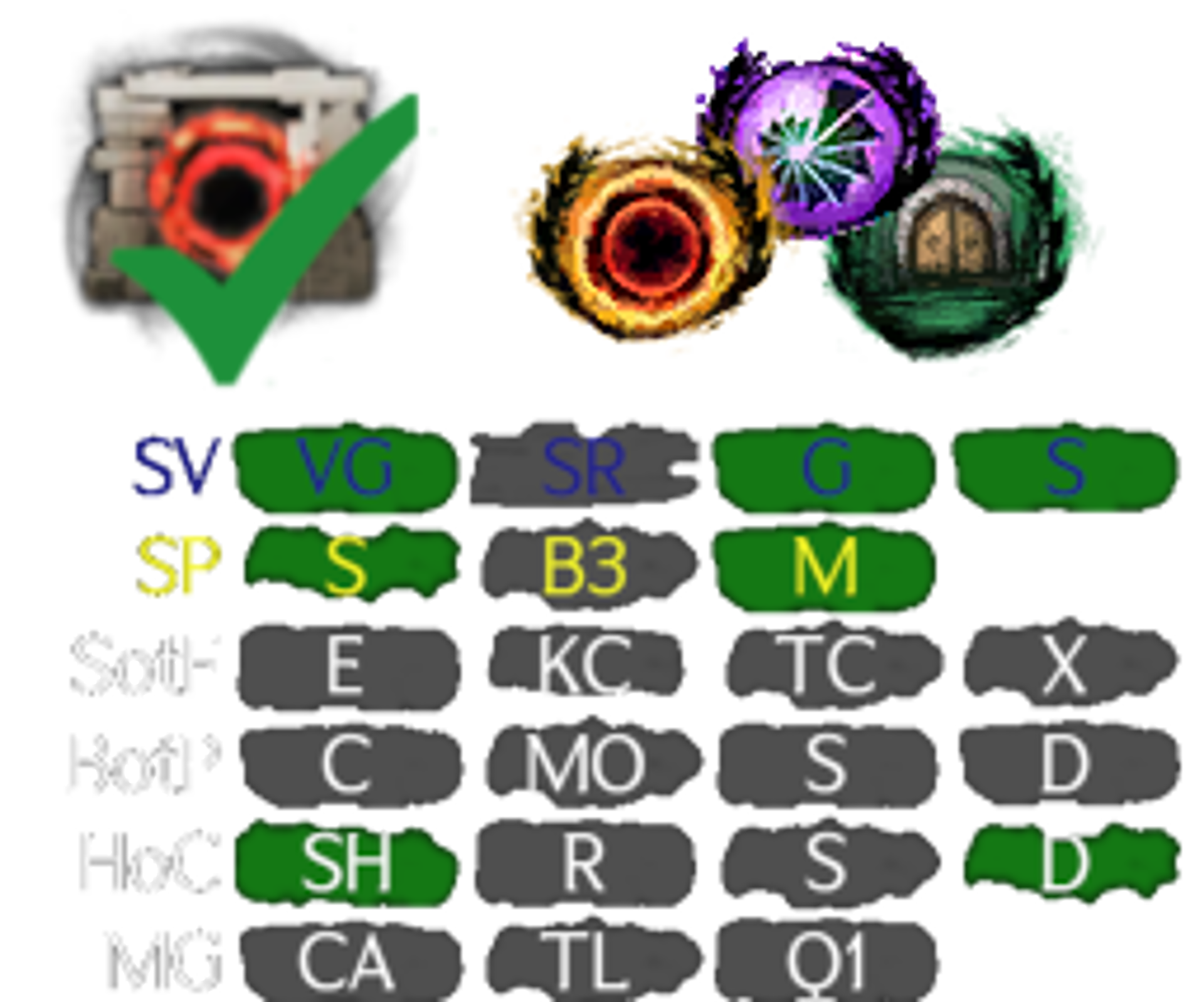
Clears Tracker is a Nexus port of the BlishHUD Clears Tracker module. It uses the Guild Wars 2 API to show your clear status for raids, raid encounters (strikes), fractals, and dungeons. Overlays update automatically so you can see at a glance what you’ve cleared this week, Daily bounties and Fractals are also supported. Layout, colors, labels, and visibility are all customizable.
Requirements: Nexus, GW2 API key with account and progression permissions.
Features
- Raids - All wings with weekly clear status; optional daily raid bounties with API-backed completion
- Raid encounters (strikes) - Raid Encounters grouped by expansion with API backed completion
- Fractals - Recommended and daily tiers, plus CM selection; instabilities shown on hover tooltips
- Dungeons - Dungeon path clear tracking
- Customization - Layout (horizontal / vertical), custom labels per encounter, colors (cleared / uncleared / non-weekly bounty highlight), font size, opacity, show or hide wings and encounters
- Tooltips - Boss damage types, break bar, and encounter info on hover; mentor progress popups for raid dailies
- Corner icon - Toggle panels, account name and MOTD in tooltip, notification dot for new messages
- Keybinds, screen clamping, stylized grid boxes
Installation
- Install Nexus and launch Guild Wars 2 with it enabled.
- Download
ClearsTracker.dlland place it directly in/addons/(not in a subfolder). - Enable Clears Tracker in Nexus addon settings.
- Open addon options, enter your API key, and click Save API Key (
account+progressionrequired). - Enable the panels you want: Raids, Strikes, Fractals, Dungeons.
Just a click away
Click the raid icon in the Nexus quick-access area to show or hide overlays, or press ALT+SHIFT+R (default keybind CLRTRK_TOGGLE_PANELS). This keybind toggles the overlay only; it does not perform in-game actions or macros. Open settings from the corner icon menu or the Nexus addon page.
How we track clears
Raid, Raid Encounter, and Dungeon clear status comes from the official Guild Wars 2 API. Provide an API key with at least Account and Progression permissions in addon options.
Fractal daily tracking also reads your current map ID from Mumble link to match you to the correct encounter.
Customization options
Choose your:
- Layout
- Colors
- Your own labels
- Grid size
- Transparency
- Show the weekly Emboldened and Call of the Mists raid wings
- Show bosses that will not be a bounty later this week
- and more
Select which wing / dungeon / strikes are tracked
Never run Cold War? Don’t show it! Per-encounter visibility is in settings.
Links
Credits and Thanks: Soeed (author). Freesnöw (static data hosting). Inspired by the raid feature in Gw2TaCO.