
This addon includes AI-generated content and/or AI-assisted code. Learn More.
GW2 Build Optimizer
In-game build optimizer for PvE, PvP, and WvW with account-aware search, build comparison, saves, and the Choya assistant.
| Downloads | 631 |
| Visibility | Public |
| Updated | 17 days ago |
| Created | one month ago |
| ID | 137 |
| Signature | 0xB8A8CDBE |
Contributors
GW2 Build Optimizer - Beta
Still actively developing, so things might break. Bear with me and report issues (you can do it in About → Message developer).
And yeah, I will update images when I get to it.
GW2 Build Optimizer is an in-game Guild Wars 2 addon for Nexus that builds, improves and explains character builds for PvE, PvP and WvW.
It reads your characters through the official GW2 API. It searches specializations, traits, skills, weapons, gear stats, runes, sigils, relics, food, utility and infusions for the mode, fight size and role you pick. Every candidate is measured in a combat simulator driven by GW2 API data and cited GW2 Wiki records, then compared with your equipped build and with builds published by Snow Crows, Hardstuck and GuildJen. Choya, the chat assistant, lets you ask for a build in your own words through the AI provider you choose.
It does not automate gameplay, send combat inputs, change the account, or read game memory.
Features
- New Build — pick character, mode, scale and role, then Optimize. Up to three search tiers (beam, synergy, legacy), with food, utility and infusions chosen before ranking.
- Improve Build — starts from your equipped build and gear. Lock specializations, traits and gear prefixes. If nothing ranks above your current kit, it keeps yours and says so.
- Choya Assist — describe the build you want (or ask Choya to fix the selected character). Live thinking steps with Stop / Retry; accepted answers become a full build card.
- Reference builds — sync published builds from Snow Crows (PvE), Hardstuck and GuildJen (WvW / PvP), then compare candidates on a versus-reference meter.
- Fine-tune weights — radar with Power, Condition, Boon Support, Heal, Sustain and Control. Drag to change how much each goal counts.
- Shared measurement — every tab (New, Improve, Choya, Saves, Generations, references) uses the same 60 s flow simulation and viability gates, so the same build shows the same numbers.
- Viability report — VIABLE / NON-VIABLE with reasons (stunbreaks, cleanse, cover, effective health, and more in WvW / PvP).
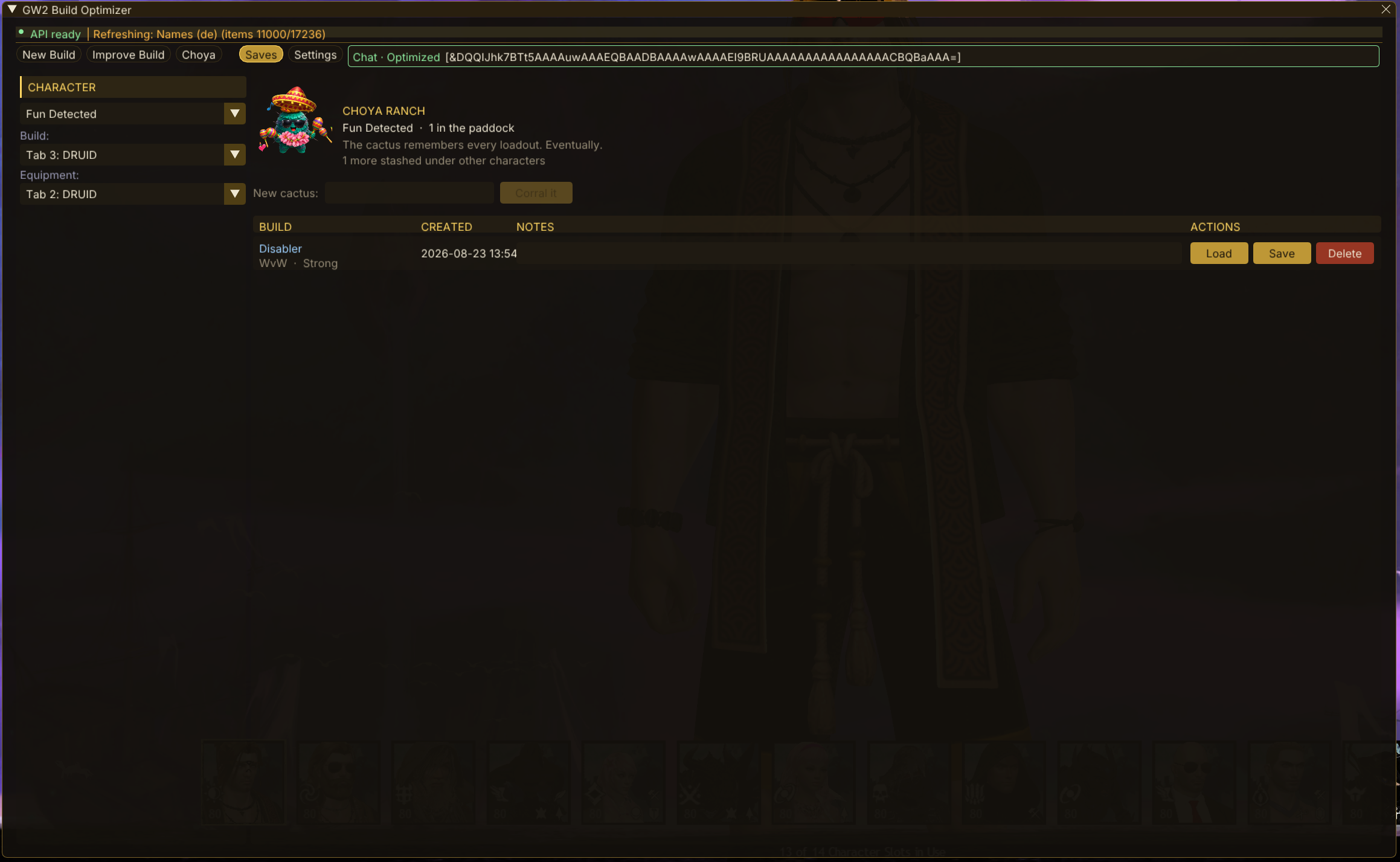
- Saves — name results by character, optional note, load / replace / delete. Saves are addon files, not GW2 account templates.
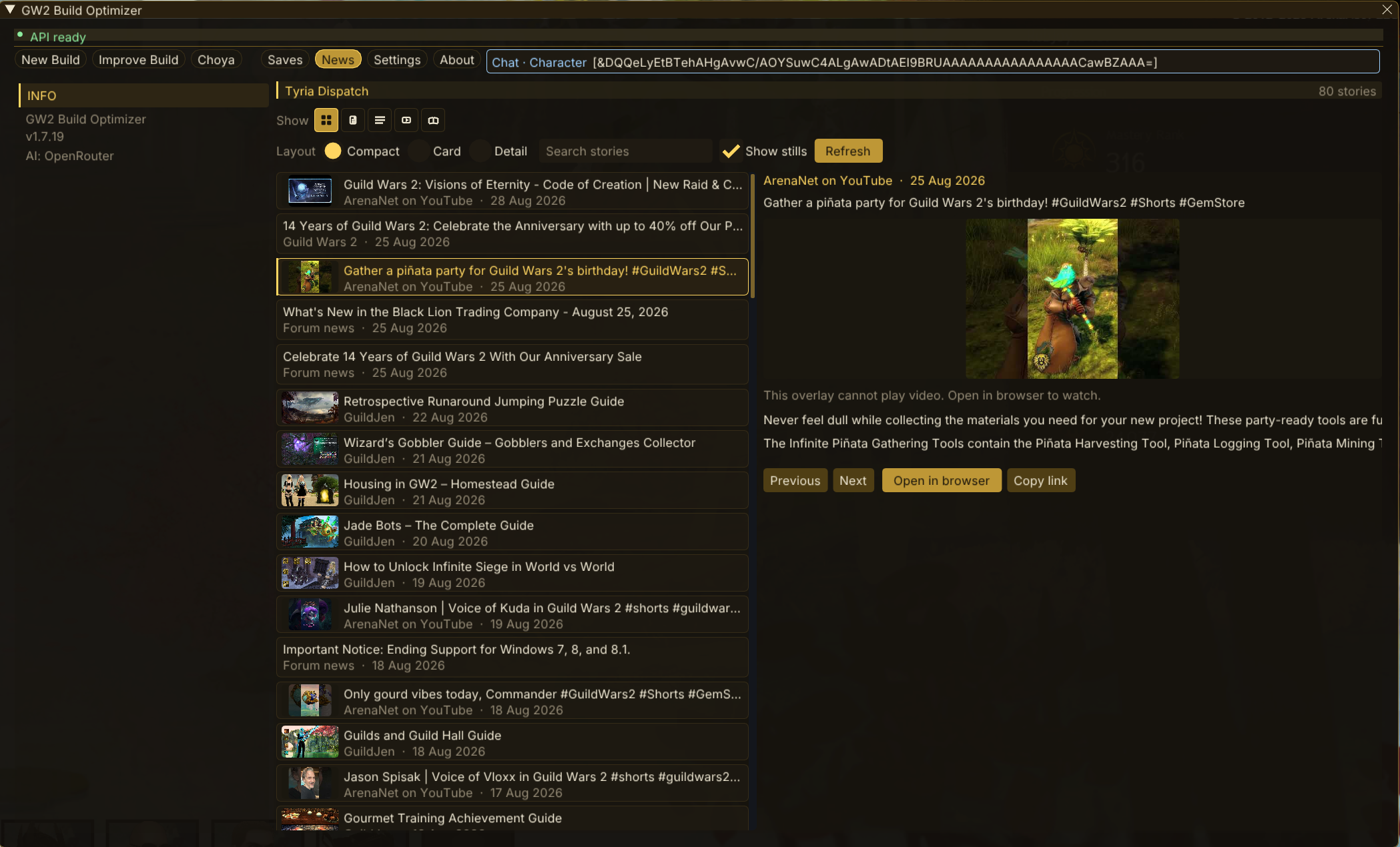
- News — official site, forum news, patch notes, ArenaNet YouTube and GuildJen guides (turn sources on in Settings). Videos open in the browser.
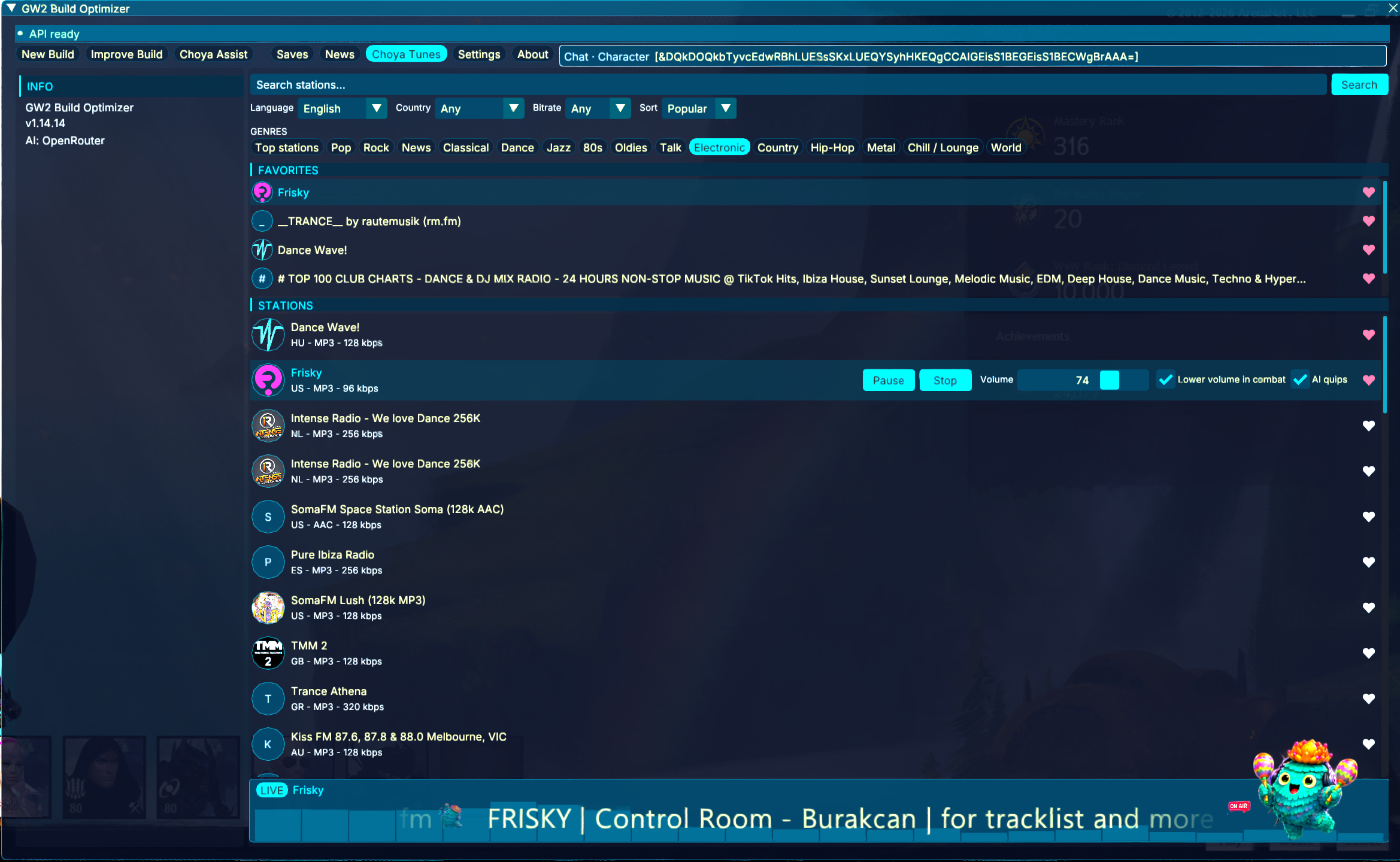
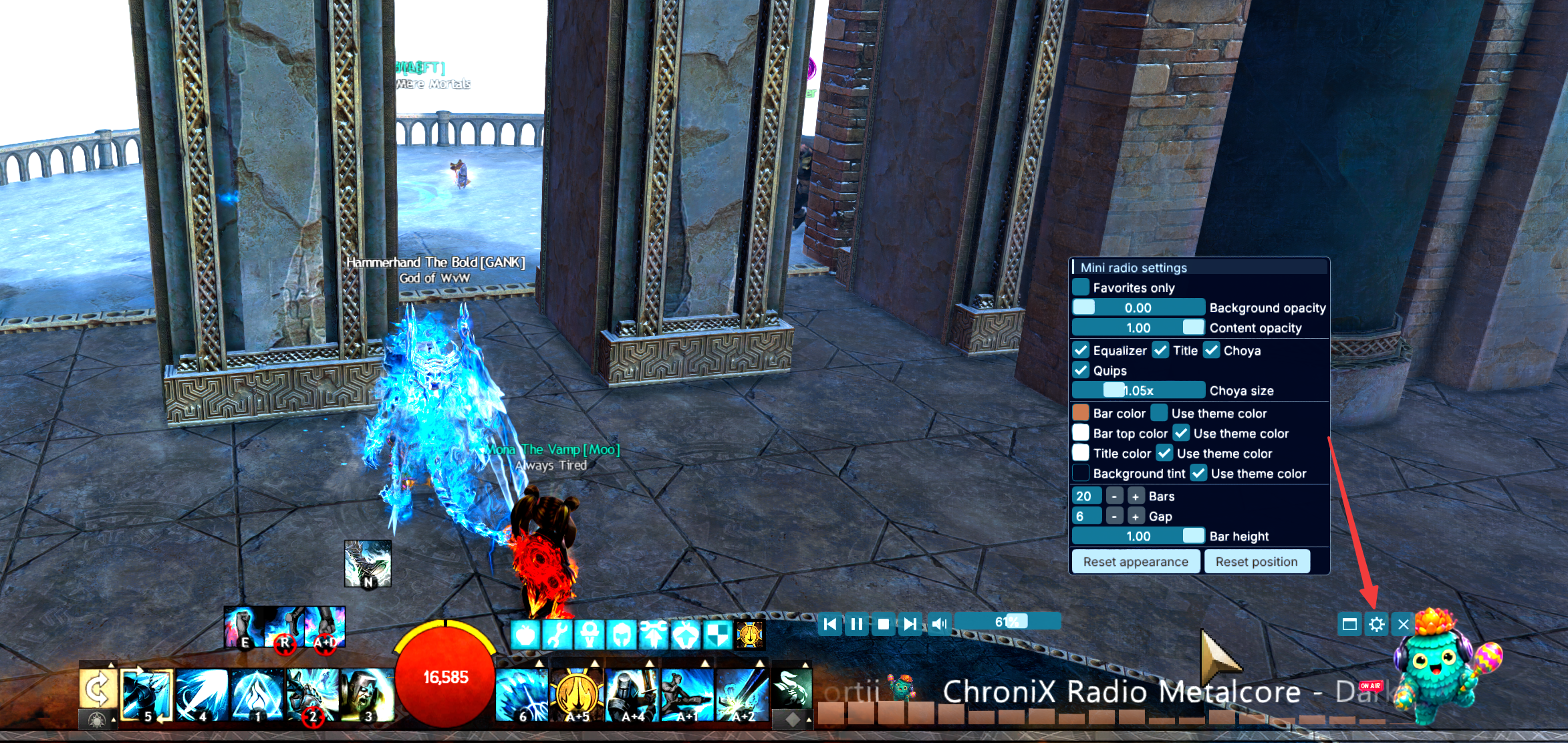
- Choya Tunes — internet radio while you play (radio-browser.info): search, genres, language, country, bitrate cap, favourites, combat volume ducking, optional AI song quips. Mini radio strip when the overlay is closed.
- Themes — five presets (Tyrian Gold, Glacial Ward, Verdant Wilds, Molten Ember, Void Orchid) or Custom from five base colours.
- About — What’s new, Messages (with replies), Message developer (bug / wrong build / suggestion / question / fistbump), and Generations (every run with tokens, cost and mini build card).
- Open from the Nexus Quick Access icon or Ctrl+Shift+O (rebindable in Nexus).
- Overlay languages: EN, DE, ES, FR, IT, PT, NL, PL, RU, ZH, JA, KO. Official GW2 names for DE, ES, FR and 简体中文.
Want to help build it? The source is public. Open a GitHub issue or pull request, or write in About → Message developer. Passion is welcome.
Setup
- Install Nexus and start Guild Wars 2 once so the Nexus menu appears.
- Install this addon through Nexus (or place
gw2_build_optimizer.dlldirectly in<Guild Wars 2>\addons\with that exact name). - Open the overlay (Quick Access icon or Ctrl+Shift+O). Complete the four-step wizard: language, GW2 API key, AI provider key, game data download.
- GW2 key needs
account,charactersandbuilds(create at account.arena.net/applications). Inventories / unlocks are not required for this version. - AI key from one of: Google Gemini, OpenRouter, OpenAI or Anthropic. Google and OpenRouter both offer free models (Settings has a Free filter on by default).
- Let the addon finish downloading game data. This takes a while. Not a huge amount of data — ArenaNet’s API rate limits are the bottleneck (300-request burst, then 5/s). Interrupted item catalog downloads resume.
Combat and stat results are estimates for comparing builds. Confirm in game. The project is under active development and the source is public.
Open the overlay
Click the Nexus Quick Access icon, or press Ctrl+Shift+O. Hover the icon and the tooltip names both.

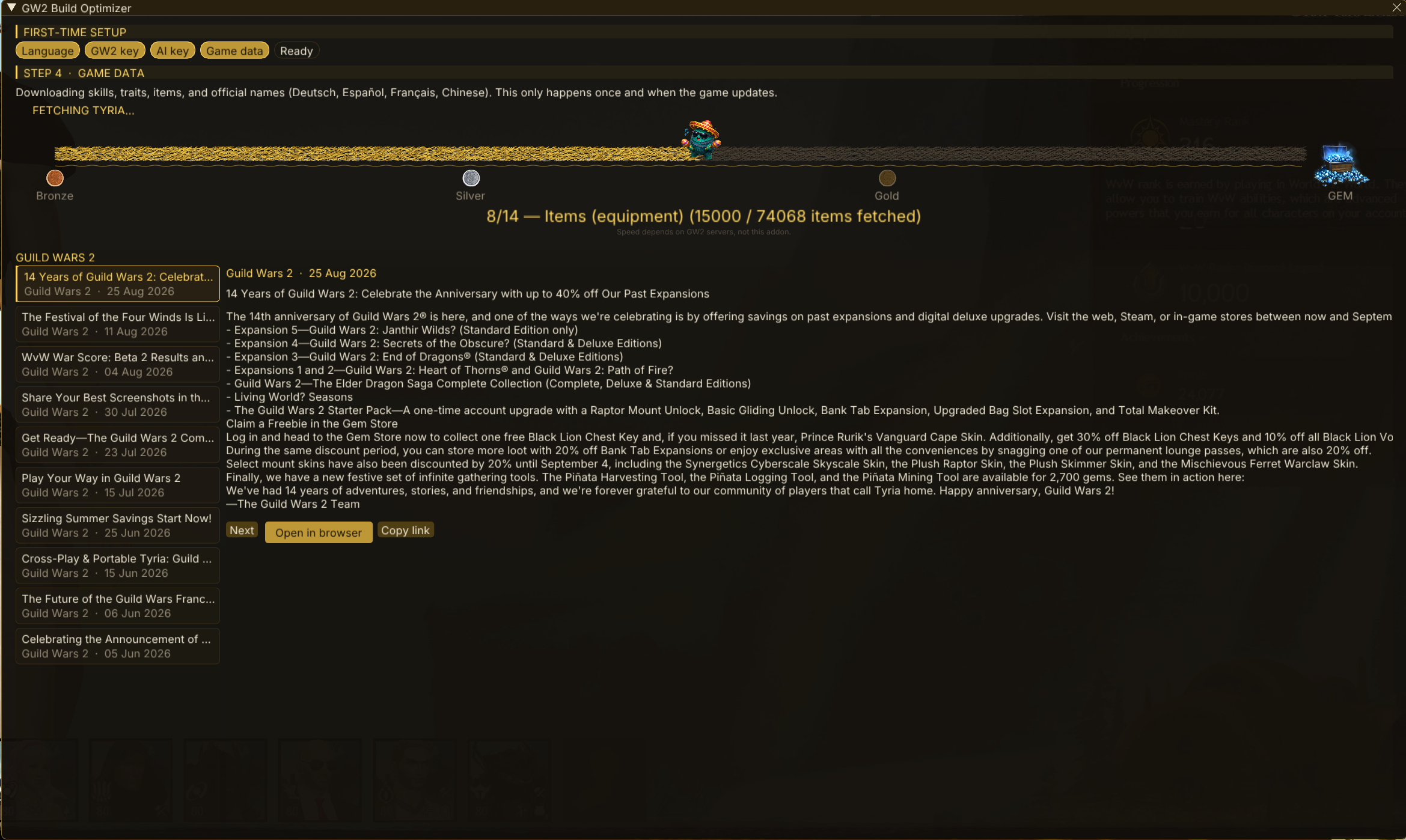
First-run game-data download shows progress step by step.
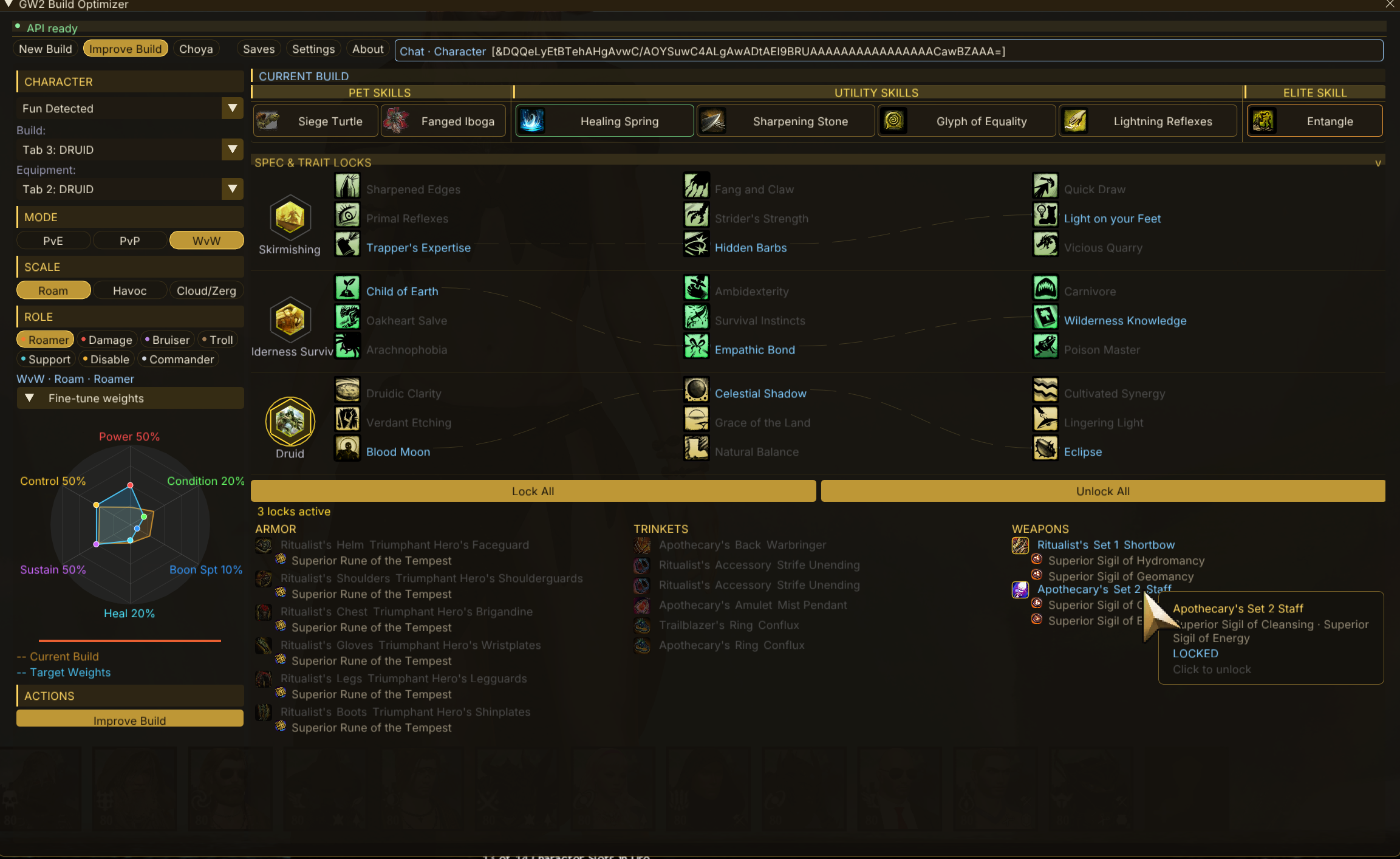
New Build / Improve Build
Pick mode (PvE / PvP / WvW), scale and role on the left rail, optionally fine-tune the weights radar, then Optimize. Improve starts from your equipped build; lock specs, traits and prefixes that must stay. Results include Build and Stats views, viability, versus-reference, and a Not simulated line for gaps.
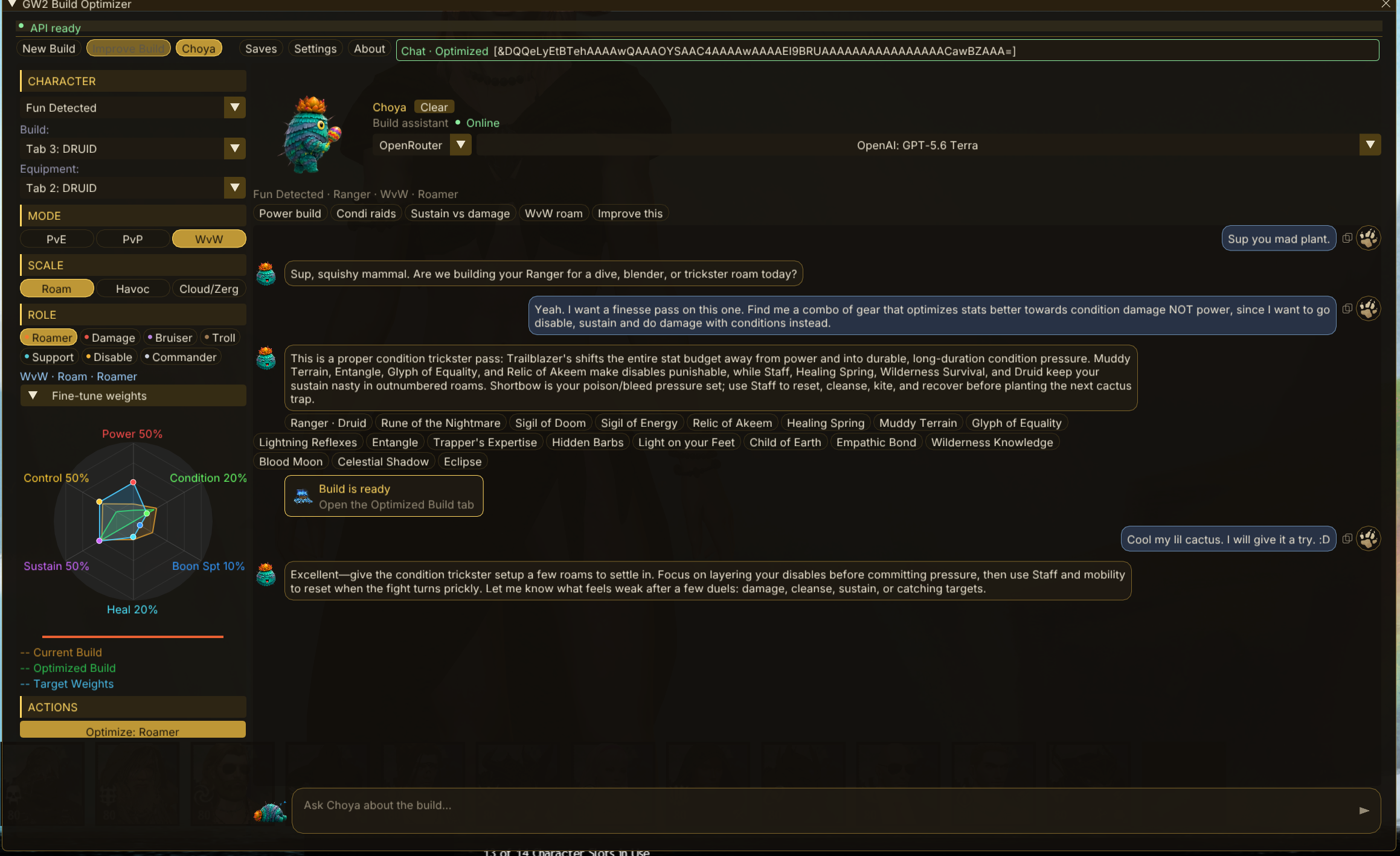
Choya Assist
Describe the intended playstyle (or ask Choya to fix the selected character). Starter prompts and pasted chat codes work. An accepted answer becomes a build card you can open on Improve or New Build.
Choya Tunes
Internet radio while you play. Search the radio-browser.info directory, filter by genre / language / country / bitrate, heart favourites, optional combat ducking. Mini radio strip stays on screen when the overlay is closed (equalizer, station, Choya, controls on hover).
News
Turn on sources in Settings: official site, forum news, patch notes, ArenaNet YouTube, GuildJen. Compact / Card / Detail layouts. YouTube is a still; open in browser to watch.
Saves
Keep named results grouped by character; load, replace or remove them later. Loading re-measures with current game data.
Stats
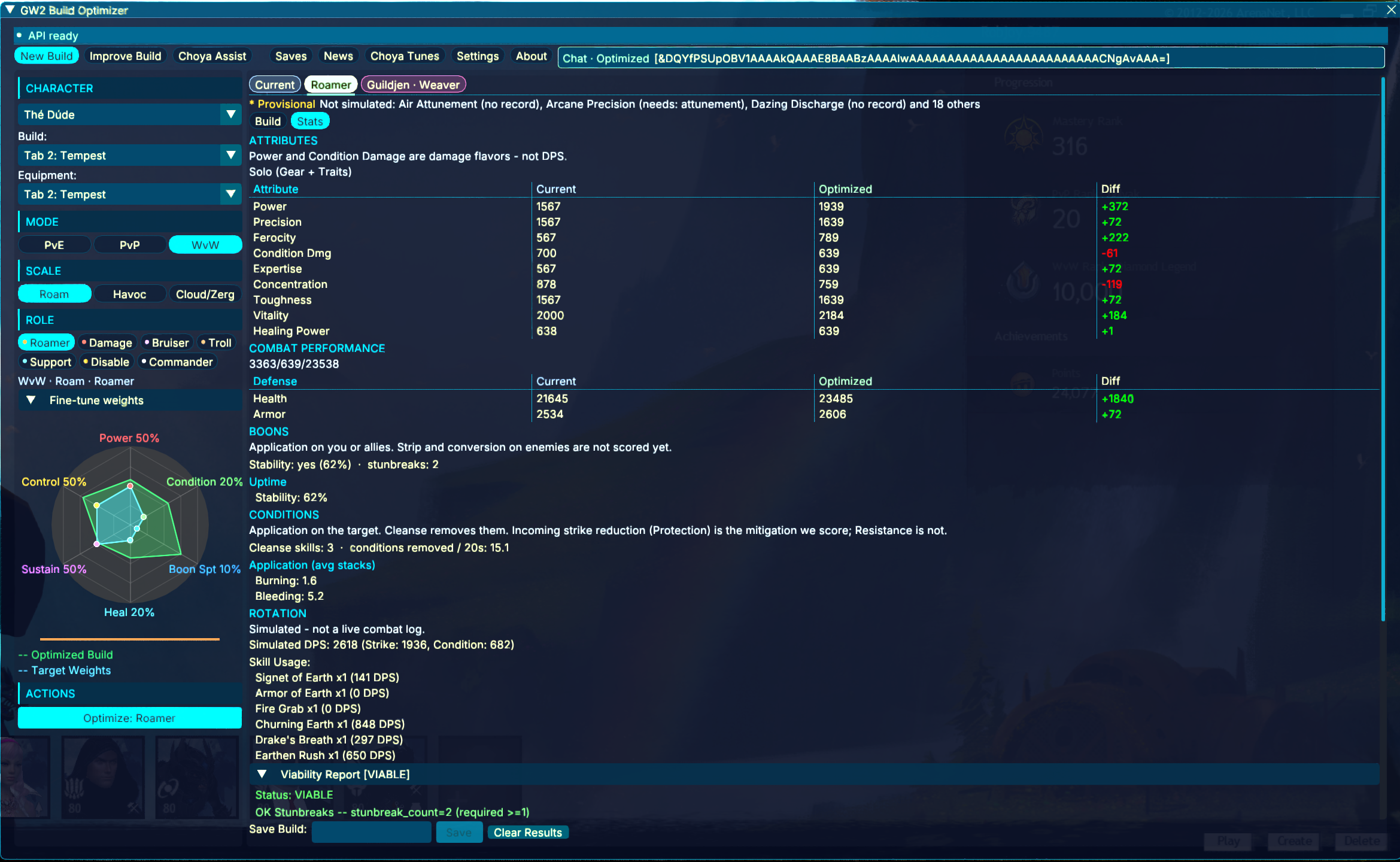
Attributes, damage, modifiers, boons, conditions and the simulated rotation. Solo / Party / Full Squad buff levels for comparison.
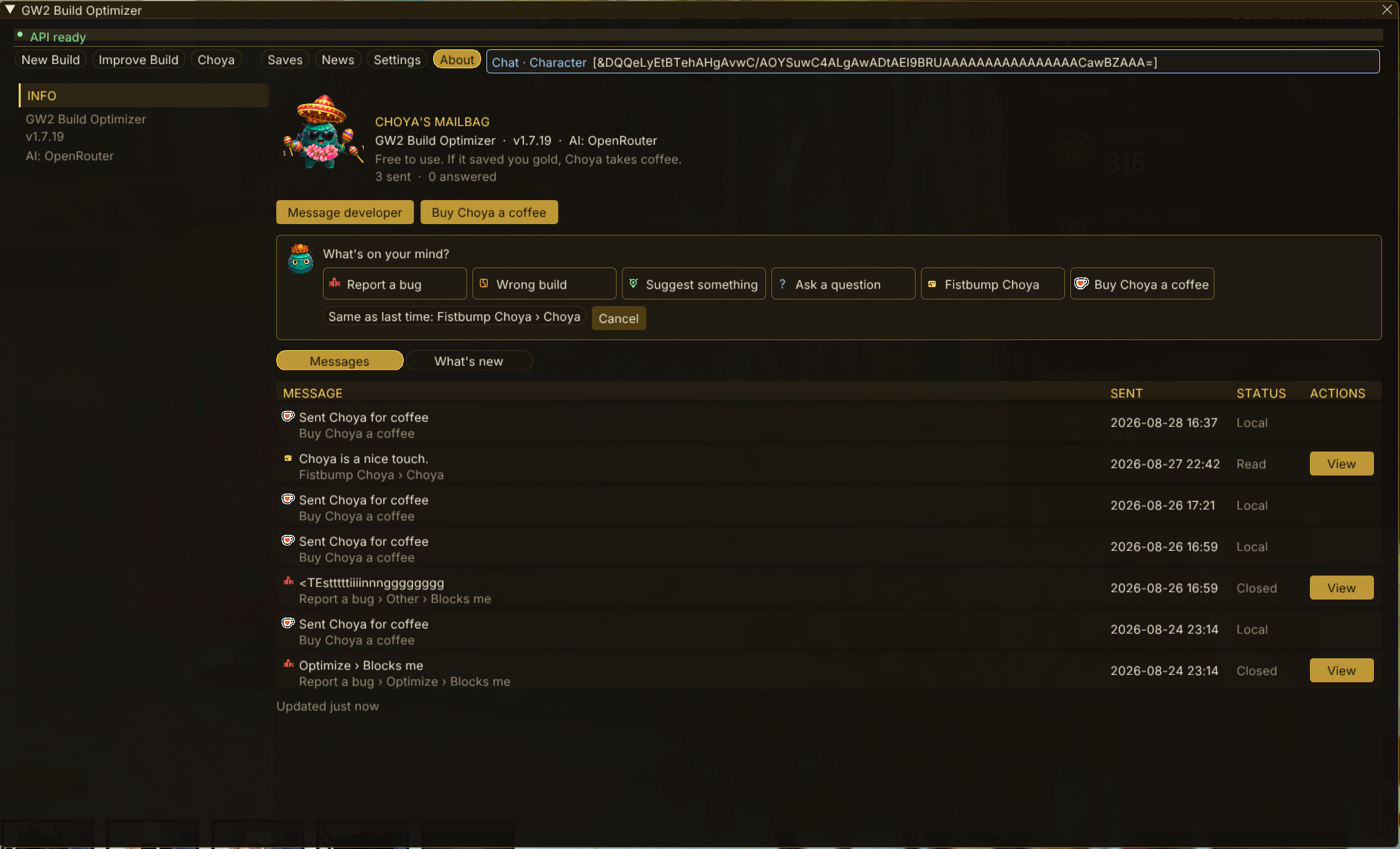
About — messages & generations
Message the developer, report a wrong build, or send Choya a fistbump. Replies land under Messages. Generations keeps every New / Improve / Choya run with cost and a restoreable build card.
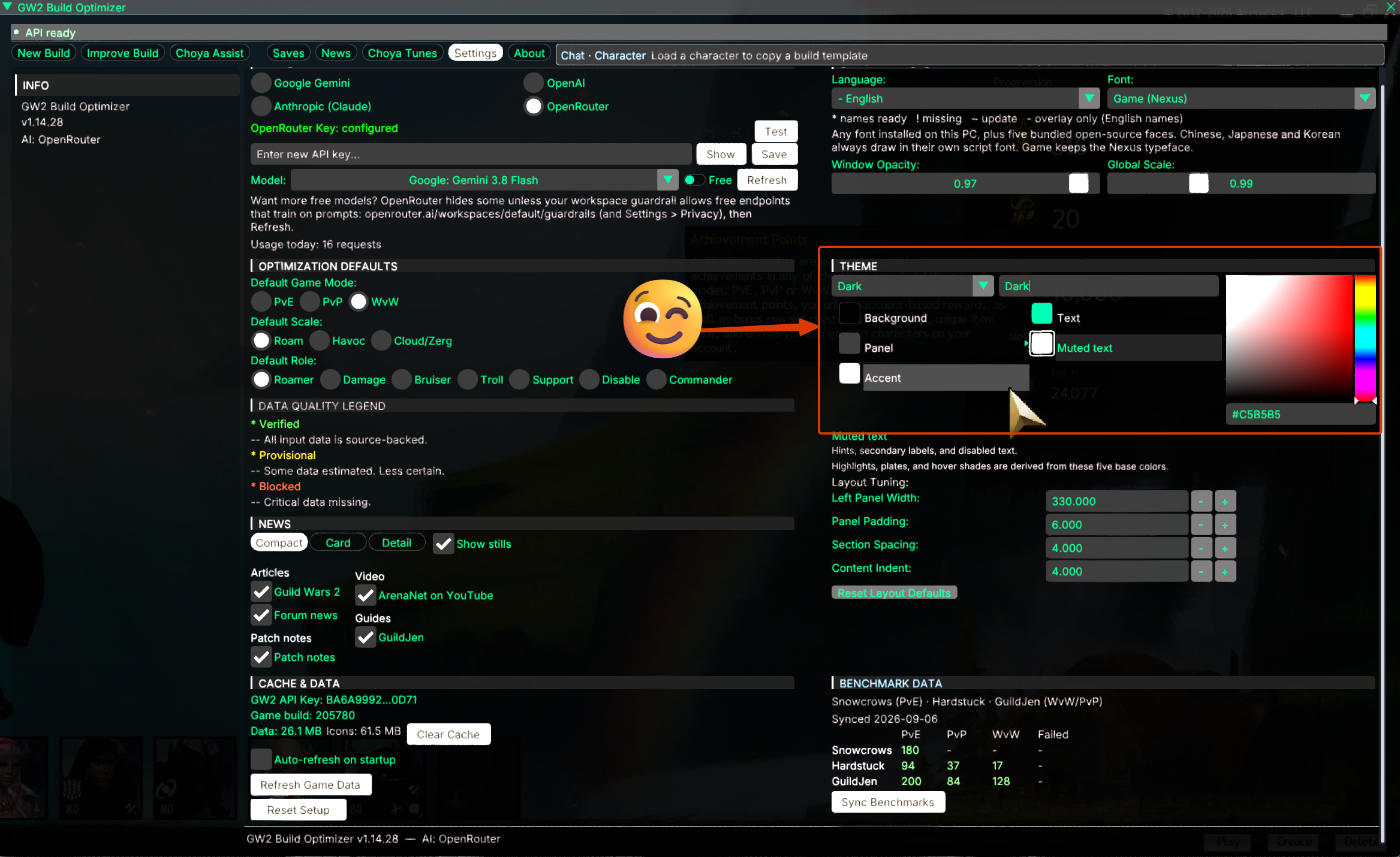
Themes
Picked in Settings. Five premade palettes, or Custom: set the five base colours. The overlay updates live and the choice persists.
ADDITIONAL NOTES REGARDING AI PROVIDER
I hear you. :D
You do NOT like to pay for AI. You like it free.
OpenRouter has a generous amount of models (hundreds). SOME of those stay free (model ids ending in :free, with daily caps). More than sufficient to experiment. Make an account, create an API key. The app loads the model list; Settings has a Free filter on by default.
ALSO, if you have a Google account, you can use Gemini. Most Flash / Flash-Lite models and Gemini 2.5 Pro have a free tier. Settings lists what Google currently offers. Free tiers and names change; pick what AI Studio shows as free that day. When you hit the free-tier rate limit (~5 req/min per model), the addon waits and shows a countdown instead of failing.
EVEN if you put around 20 bucks on OpenRouter it will last you for months. And you can pick some of the more spicy models from any top provider there.
Important: New Build and Improve do not depend on AI — search and scoring run in the addon. AI may suggest upgrades (kept only if they score higher) and write explanation text. Choya Assist needs a working key. Keys are stored unencrypted in config.json in the addon folder; do not share that file.
PLEASE BE ADVISED
Development notice: This addon is still under active development. Bugs may occur. Some traits, skills, pets and elite transforms are not fully modeled yet — each result names what was Not simulated. Simulated damage in recent checks runs roughly half to four-fifths of logged arcdps / Elite Insights damage. Use ranking and reference comparison to choose, then confirm in game.
Choya’s recommendations also depend on the selected AI model. More capable models may give better suggestions, but results should always be reviewed before you change your build.
I urge you to take your time and message the developer about any issues you may have (About → Message developer, or a GitHub issue).
Source, release notes, installation details, and troubleshooting