
This addon includes AI-generated content and/or AI-assisted code. Learn More.
GW2EventCalendar
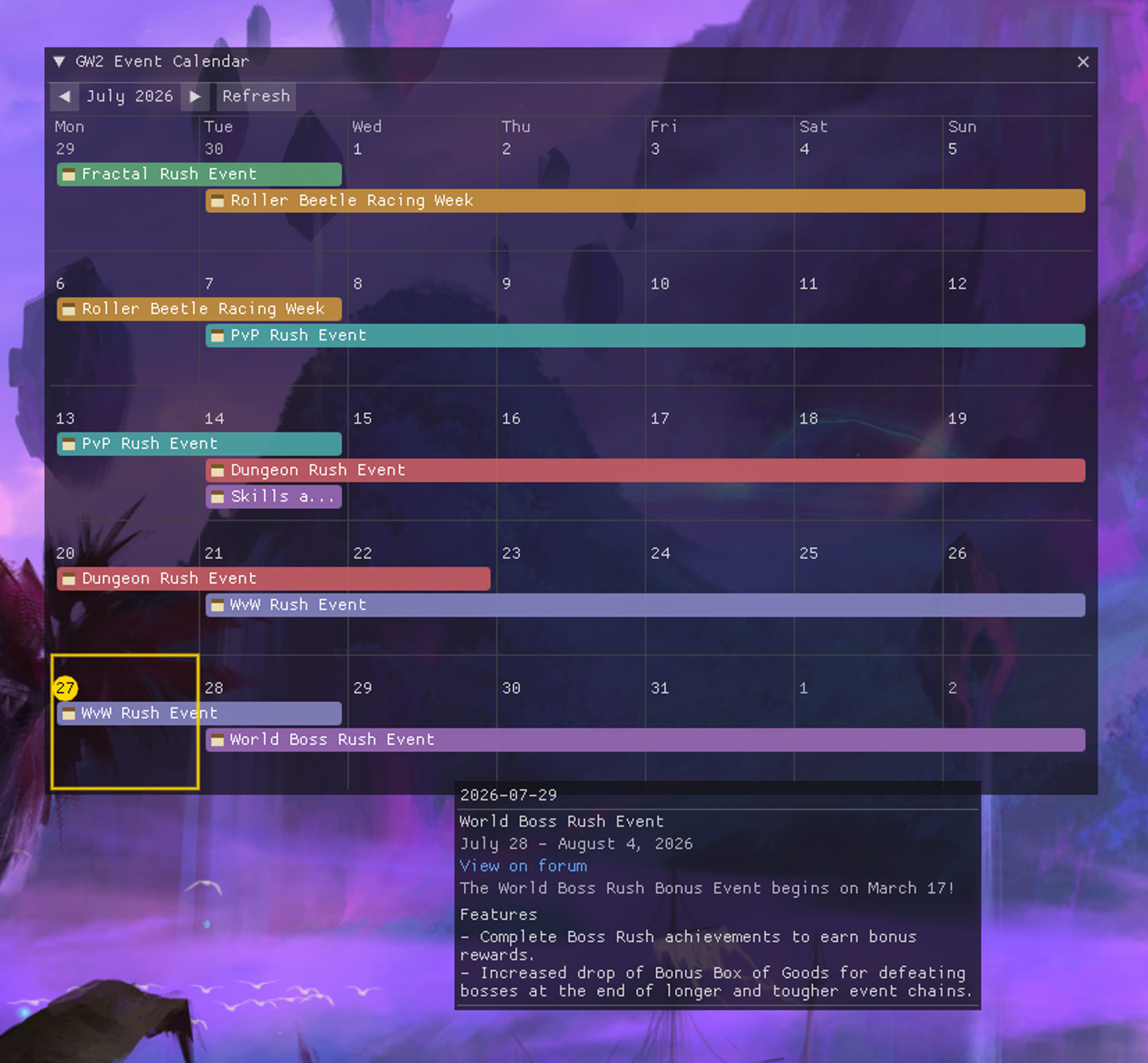
Calendar-style month grid of the game's recurring bonus events and festivals
| Visibility | Public |
| Updated | one month ago |
| Created | one month ago |
| ID | 131 |
| Signature | 0x47324543 |
Contributors
# GW2 Event Calendar
A Nexus addon for Guild Wars 2 that shows a calendar-style month grid of the game's recurring bonus events and festivals, right inside the game.
Where the data comes from
- Primary source: the official GW2 forum's "Game Updates" calendar https://en-forum.guildwars2.com/events/1-game-updates/
via its public iCalendar feed. This gives each event's title, forum link, and exact start/end time,
covers the calendar's full history and everything upcoming, and needs no login or setup - it just
works out of the box.
- Enrichment: the GW2 Wiki's Special Event page https://wiki.guildwars2.com/wiki/Special_event adds
a short description, a features list, and bonus-effect details (e.g. "+100% WXP") for events the wiki
tracks. The forum feed carries no descriptive text like this at all, so the wiki is also used to fill
in a small number of genuinely wiki-only events (ones from before the forum calendar existed, or posted
to the wiki just ahead of the forum).
- When both sources have the same event, the forum's date is applied - the wiki is only used for the
extra descriptive text.
Events refresh automatically in the background (every 60-180 minutes, configurable), or on demand with
the "Refresh" button.
Using it
- Open the calendar from the QuickAccess toolbar icon in-game, or its keybind (set one in Nexus's
keybind settings).
- Click any day to see full details for everything happening that day - description, features, and
bonus effects, plus a link back to the forum post.
- Days with more events than fit are marked "+N" - click the day to see the rest.
Options
- How many months back and forward to show, the background refresh interval, whether the week starts on
Monday or Sunday, whether the QuickAccess toolbar icon is shown, and a customizable highlight color for
today's cell are all in the addon's options panel.
- If the anonymous forum feed ever stops working, `settings.json` (next to the addon's own data folder)
also accepts a full `feed_url_override` - this has no in-game UI and is meant as a manual fallback, not routine setup.