
This addon may include or support macros. Learn More.
This addon includes AI-generated content and/or AI-assisted code. Learn More.
emot3
A clickable emote panel
| Downloads | 1.4k |
| Visibility | Public |
| Updated | 3 months ago |
| Created | 4 months ago |
| ID | 101 |
| Signature | 0x656D7433 |
Contributors
A clickable emote panel, with a separate Quickbar you can keep on your HUD and a type-to-send palette for your keyboard.
Most of emot3 was written by Claude Code (Anthropic), which did the heavy lifting on implementation and design. Heads-up so you can judge for yourself.
The bundled AI-generated emote icons are an opt-in fallback (off by default, under Options > General > Icons), marked with a gold frame so you can tell them from the official ArenaNet artwork.
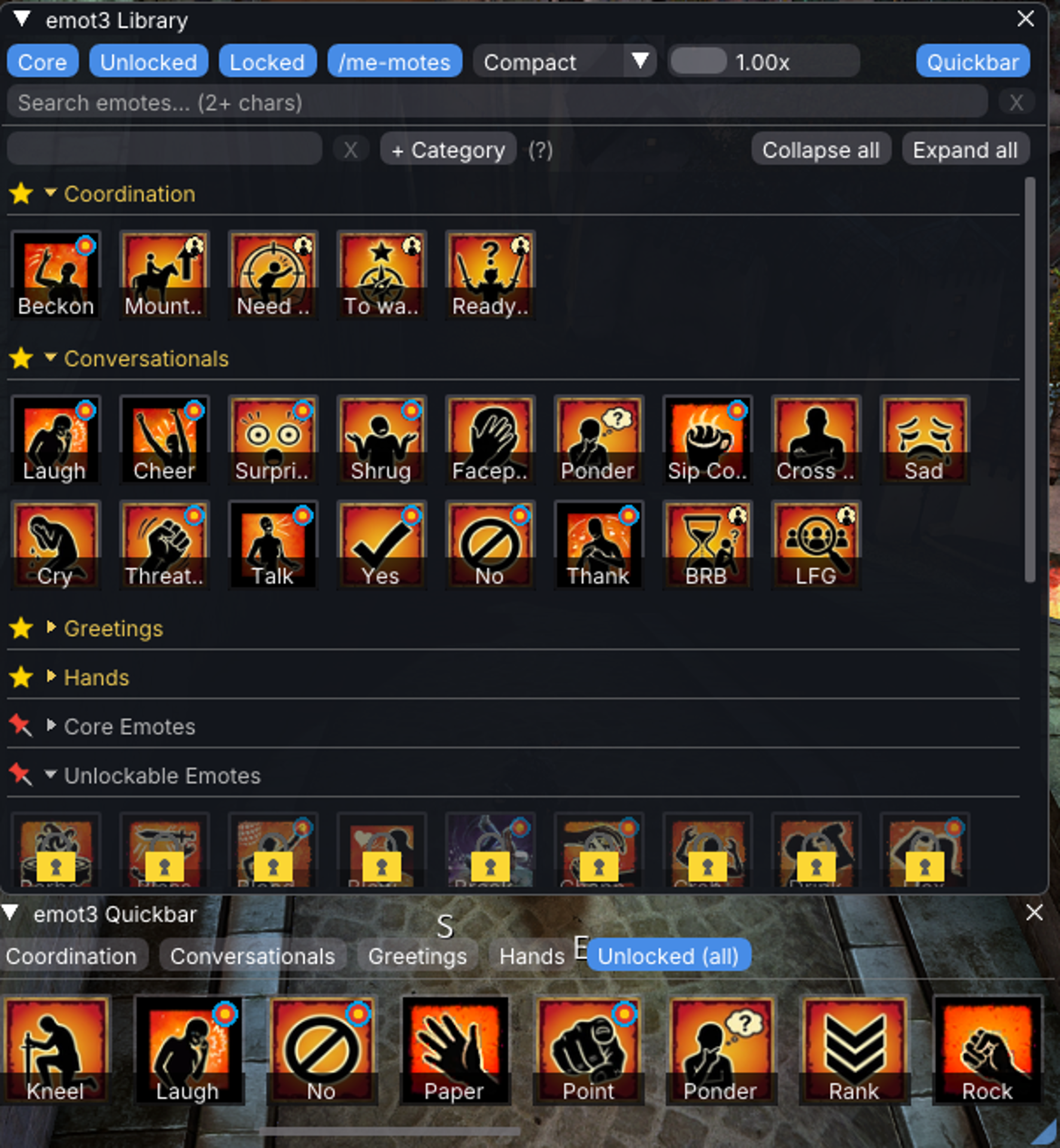
- Library - search by name, command, or alias; filter by Core / Unlocked / Locked; group favorites into your own categories and drag them into order.
- Category options — opt into ready-made Quickbar categories (Core, Unlocked, Recently used, Frequently used) alongside your own favorites.
- Quickbar - a slim window showing one category at a time, built for your HUD: snap it to a clean grid, change scroll behaviour, customize to your liking.
- Quickbar presets - save a look plus the bar's size and position, then swap between them from the addon's icon.
- Palette - a keybound type-to-send popup. Suggests your most-used emotes while empty, Tab cycles a result's send variants (target / sync / You / All), and your favorites category names double as search terms. Position, size, grow direction, and behavior are all configurable.
- Keybinds - bind individual emotes and /me-mote variants as Nexus keybinds; RadialMenus wheels can invoke them without you blocking a key.
- RadialMenus export - export a favorites category as a wheel for the RadialMenus addon; emot3 packages the files, you copy them into RadialMenus folder and hit reload.
- Your own catalog - the emote list is a file you own, not hard-coded. Add, edit, or remove any emote without waiting for an update. A built-in icon picker lets you assign icons easily.
- /me-motes - your own custom
/mechat emotes with up to three variants per entry; pick which to fire from the right-click menu. - Multilingual - emote commands in all four GW2 languages; UI in English and German, with more easy to add.
See GitHub for more. Alternative, AV-triggering builds available for movement-suppression while sending and additional features not suited for the public build.